Connect to the Server from the osu!(lazer) Client
The osu!(lazer) client does not natively support connecting to a server via command line (-devserver) like osu!(stable). Therefore, to connect to your server, you need to use a custom osu!(lazer) client modified by us—g0v0!, or use LazerAuthlibInjection to inject the connection configuration into the client.
Using g0v0
This method is recommended for all users who can run the original osu!(lazer) on their platform.
Steps
Download g0v0!
Download the latest version of the g0v0! client from GitHub Releases.
Configure the Server URL
In the settings, find the "Online" section, locate the "Custom API Server URL" setting, and enter your server address in the input field (e.g.,
lazer-api.g0v0.top).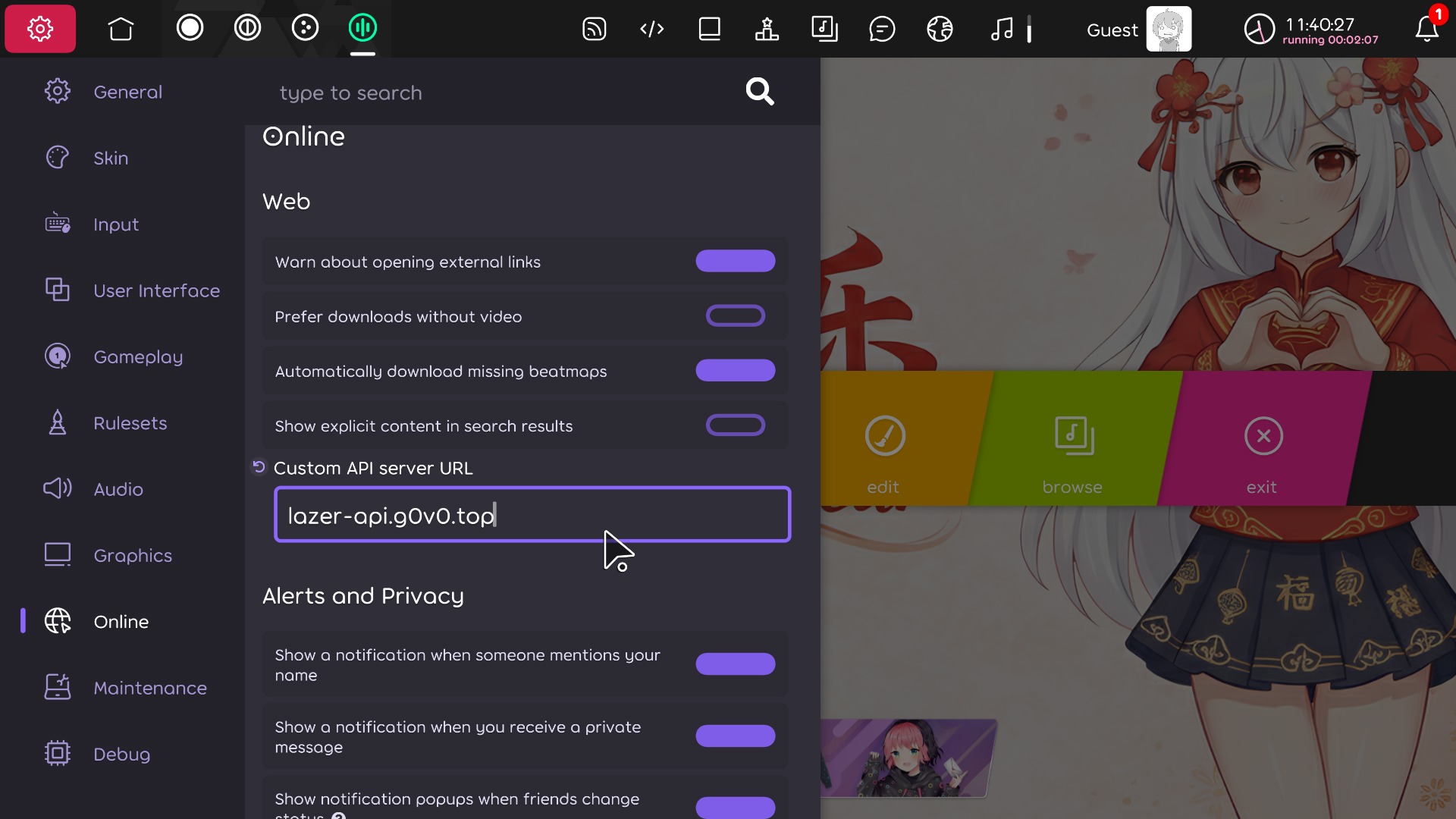
Restart the Client
After entering the URL, exit and restart the client for the changes to take effect.
Using LazerAuthlibInjection
LazerAuthlibInjection is a ruleset that adds custom server support to the official osu!(lazer) client.
Danger
This will result in your osu! account being banned!
The official osu! team has explicitly stated that using LazerAuthlibInjection and similar injection rulesets to connect to official servers will result in account bans (see this issue).
Only use this tool on private development servers, and ensure you have logged out of or disconnected from the official servers before using it.
This project is not affiliated with or endorsed by the official osu! team. Use at your own risk. Do not report any issues regarding this ruleset to the official osu! team.
Supported Platforms
- Linux (amd64, arm64)
- Windows (amd64, arm64)
- macOS (Intel, Apple Silicon)
Installation Steps
Open the osu! Data Directory
In the settings panel, click
Open osu! folderto open the osu! data directory.Default locations:
- Windows:
%AppData%\osu! - Linux:
~/.local/share/osu - macOS:
~/Library/Application Support/osu
- Windows:
Install EnhancedAuth
Download the latest version from the Releases page, and copy
osu.Game.Rulesets.EnhancedAuth.dllto therulesetsdirectory.
Migrating from the old version If you previously used
osu.Game.Rulesets.AuthlibInjection.dll, please delete that file first. :::
Configure LazerAuthlibInjection
In the settings panel, click
Rulesets, then configure:API Url: Your custom server API URL (e.g.,https://lazer-api.g0v0.top)Website Url: Your custom server website URL (e.g.,https://lazer.g0v0.top)
Then click
Save Changesto save the settings.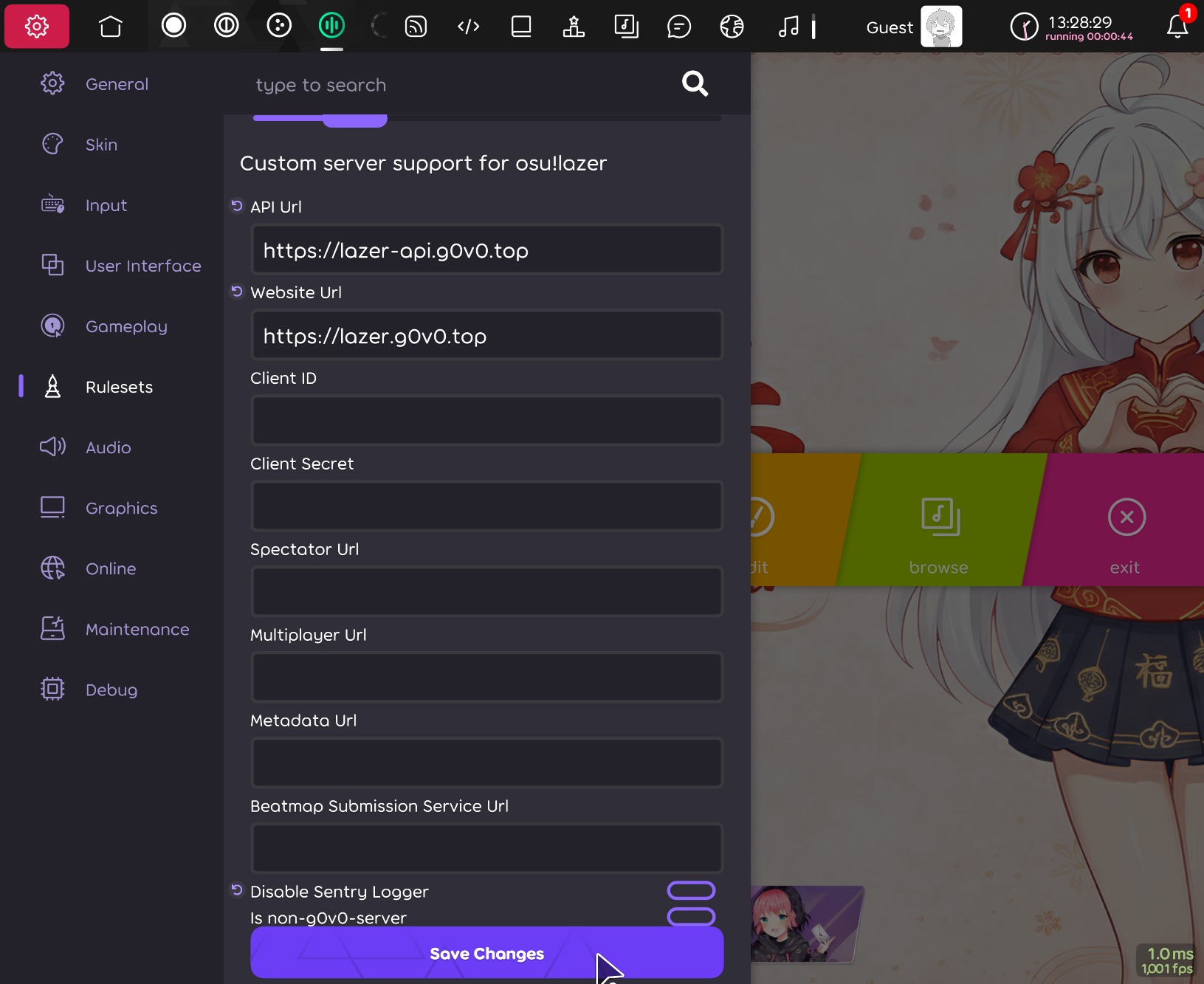
Restart the Client
Restart osu!(lazer) for the configuration to take effect.
Command Line Arguments
You can also pass settings via command line arguments:
| Argument | Description |
|---|---|
--api-url / -devserver | API URL |
--website-url | Website URL |
--client-id | Client ID |
--client-secret | Client Secret |
--spectator-url | Spectator service URL |
--multiplayer-url | Multiplayer service URL |
--metadata-url | Metadata service URL |
--bss-url | Beatmap submission service URL |
--disable-sentry-logger | Disable sending Sentry logs to the official osu! servers |
--non-g0v0-server | Disable g0v0-server specific features (Relax, custom ruleset scores) |
Example:
osu!.exe --api-url=lazer-api.g0v0.top --website-url=lazer.g0v0.top --disable-sentry-logger